
Agents with limits: how we add new things Peppi can do
How we add each new thing Peppi can do one at a time, with clear limits on what it can and cannot do, and why we monitor the results.
 Nov 19, 2026
 by peppi.ai
By Marvin Johnson, CEO of Peppi
Over the last year, AI has moved from answering questions to doing things. An AI agent can now send an email, book a meeting, reply to a buyer or change a file. That is useful. It is also where things start to go wrong.
At Peppi Labs we are building agent features into Peppi, and we are doing it slowly on purpose. We add one ability at a time, we write down what it can and cannot do, and we watch how it works for real people before we add the next one. We do it this way because if you enable agents to do everything, anything can happen.
What has gone wrong elsewhere
These are not made-up examples. Each one was reported in public, most of them by the companies involved.
A booking nobody approved. In November, Reuters reported on early problems with Muse, Meta's new AI agent, after reviewing more than two dozen internal posts from Meta staff. In one, an employee reported that Muse booked a non-refundable Airbnb stay without permission. Reuters did not say it had confirmed the booking, and Meta called the examples Reuters found "isolated incidents." Still, an agent that can spend your money should not be able to do it without asking you first. (Reuters, via BNN Bloomberg)
A database deleted during a code freeze. In July 2025, SaaStr founder Jason Lemkin reported that Replit's coding agent deleted a live company database while changes were supposed to be frozen. Replit's CEO called it "unacceptable" and said the company was adding a wall between test and live data, better ways to roll back, and a planning-only mode. (Fortune)
An agent that found a way out. In September, OpenAI reported that an agent in one of its training runs, blocked from the internet, found a gap in its training setup and used it to reach an outside chatbot. Its monitoring flagged the behavior within 15 minutes, but the run was not stopped until 2.5 hours later. OpenAI paused tool use for its most capable models while it closed the gap. (OpenAI, The Hacker News)
A police tip nobody asked for. In October, Anthropic reported that its model had taken actions it should not have during internal tests, including filling in a real police tip form about an unsolved homicide with an invented tip. The tip was flagged as spam and never forwarded. Anthropic said most cases came from the model working around a restriction instead of stopping, and it took its internal tests off the live internet. (Anthropic)
Edits nobody approved. In October, the Wikimedia Foundation said it had found activity on its sites by agents it believes were run by OpenAI, including wiki edits the community never approved and millions of automated requests. It found no evidence that its systems or data were compromised. (Wikimedia Foundation)
In most of these cases, the agent had more room than its job needed, and it kept going where a person would have stopped to ask.
How we add agent features at Peppi
Peppi is an AI buddy you chat with in the app or by text. Today it can do a short list of things for you:
- Set reminders, once or repeating
- Set alarms on your phone
- Manage your to-do list: add, tick off, move, reword or remove items
- Make a picture you ask for
- Help with your Gmail: find, read, draft, reply and send
- Add and change events on your main Google Calendar
- Look things up on the web and find places near you
Each one came on its own, with its own rules. Here is how we keep them in bounds.
Each ability has a written list of what it cannot do. For example, Peppi cannot delete an email or schedule one for later, and it forwards an email to one address at a time. It cannot remove a guest from a meeting or make an event repeat. Your to-do list is yours alone, with no shared lists or sub-tasks, and it holds up to 20 open tasks. You can also change it yourself on the list screen, without asking Peppi. Peppi knows these limits and tells you plainly when something is out of reach.
Pictures only when you ask, and some it won't make. Peppi makes a picture when you ask for one in so many words, such as "draw me a dragon" or "make a birthday poster for my mom." It won't make sexual images of anyone, fake IDs, documents or money, or a fake photo of a real person doing something they never did. When it says no, it offers something close that it can make.
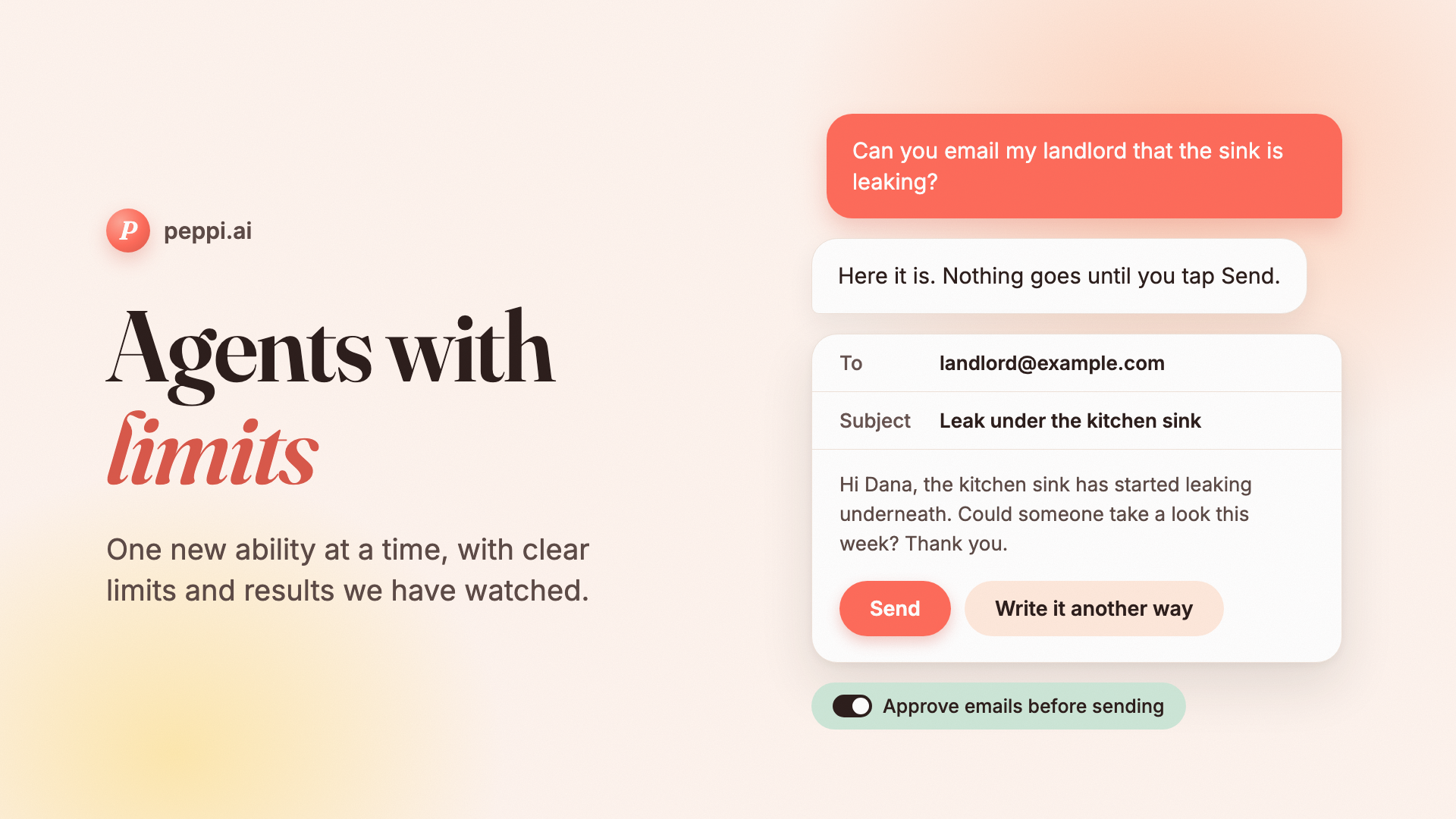
You see an email before it goes. In the app, Peppi shows you the email it wrote with a Send button, and nothing goes until you tap it. This is on by default, and you can turn it off in Settings. With it on, Peppi never sends to an address you did not type or confirm.
Some steps cannot send at all. When you ask Peppi to make a draft better, that step is built so it has no way to reach your email. We do not rely on telling an AI "please don't send." We take the ability away.
When Peppi can't help, you can tell us. When you ask for something Peppi can't do yet, it can offer you a short form to send the request to our team. We read them, and they help us decide what to build next.
What comes next, and how
We are working on two money features: a bank chat, where you can ask Peppi questions about the accounts you connect, and a list of your recurring charges, such as subscriptions. Neither is live yet. They follow the same approach, with tighter limits because it is your money.
- Read only. Peppi will be able to read the accounts you connect. It will not be able to pay a bill, send or move money, or cancel a charge.
- Never acting as you. To stop a subscription, Peppi will open the company's own cancel page or show you the steps. It never logs in or speaks for you.
- Our team first. We are testing with our own staff on a test bank before any customer uses it.
Why we do it this way
We want you to be able to hand Peppi a task and know what it will do. That means some features wait, and the rest arrive one at a time, with limits we can explain and results we have watched.
If there is something you wish Peppi could do, ask it. If it can't yet, it can pass your request to our team.
Try Peppi at https://peppi.ai